
2 min read
The number and address your contacts see
What the Channels card tells you about your sending phone number and email — and why you cannot edit it yourself.
Everything CloseBoss sends goes out from one number and one address. This card shows you which, and whether each is verified.
It is deliberately read-only. A verified sender is what keeps your texts out of carrier spam filters and your email out of junk folders, so changing one is a support request rather than a text field.
Step by step
Open Settings → Channels. Channels is the first card.
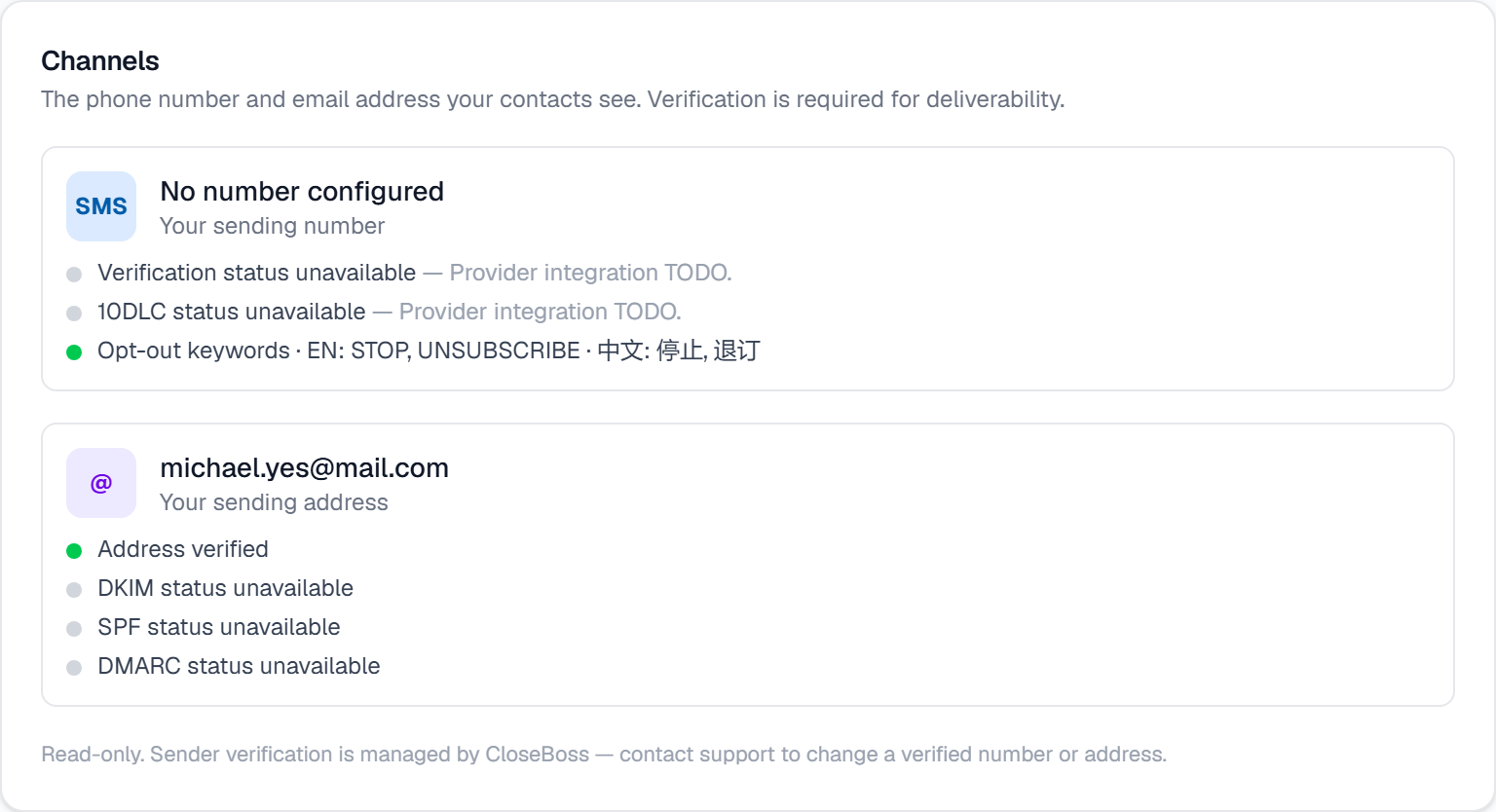
Check the SMS side: the number your contacts see, its verification state, and its 10DLC registration state. 10DLC is the carrier registration that makes business texting deliverable in the US.
Note the opt-out keywords listed there — they are handled for you, in English and Chinese, and cannot be turned off.
Check the email side: your sending address and whether it is verified, plus DKIM, SPF and DMARC — the three DNS records that tell inbox providers your mail is really yours.
To change a verified number or address, contact support. There is no self-serve edit, by design.
What it looks like
Related
Need help with something else? Browse all guides or email support.
