
2 min read
Get a morning briefing and evening summary
Schedule the morning plan and evening recap that appear on your dashboard and in the mobile app — and set the timezone they fire in.
The morning briefing is a start-of-day plan: hot leads and follow-ups. The evening summary is the recap — what you missed, and a preview of tomorrow. Both appear on your dashboard and in the mobile app.
The timezone here is your whole account's — briefings, office hours, and every appointment your AI Receptionist books all run on it. There is only one, so setting it once is enough.
Step by step
Open Ask Max and click Briefing schedule, under the opening briefing.
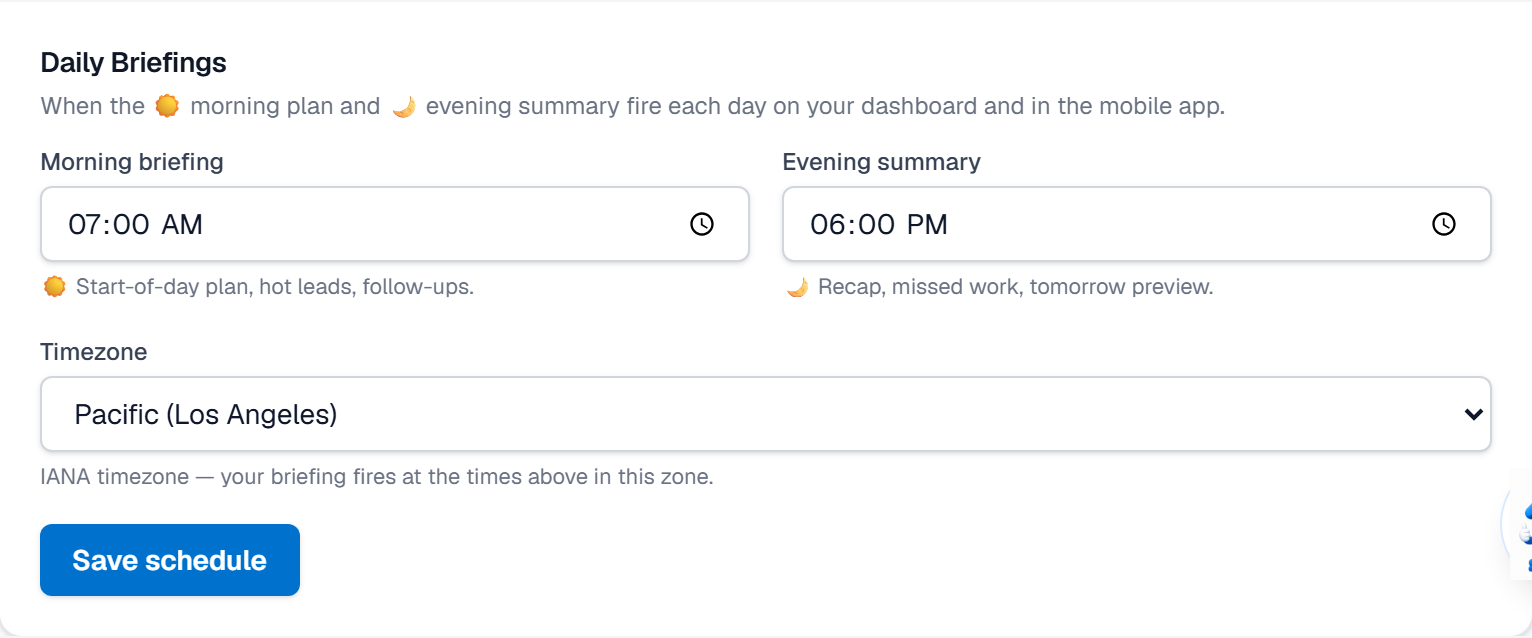
Set a Morning briefing time, or leave it blank to turn the morning plan off.
Set an Evening summary time, or leave it blank to skip the recap.
Choose your Timezone from the list. If your zone is not listed, pick “Other timezone…” and enter an IANA name such as Europe/Berlin.
Click Save schedule. Briefings fire at the times above, in the zone you chose.
What it looks like
Related
Need help with something else? Browse all guides or email support.
